
Auto-héberger son serveur mail ? En 2019, cette idée peut paraître saugrenue, mais à bien y réfléchir, elle présente aussi certains avantages, notamment (mais pas seulement) celui de permettre une meilleure maîtrise de la confidentialité et de la conservation des informations transmises et reçues. Cependant, Internet est un milieu hostile, et pour être fonctionnel et ne pas devenir une passoire à spams et virus, voire passer lui-même pour un vilain spammeur, un serveur mail devra faire l’objet de moult précautions lors de sa mise en place. Ce workshop se propose de passer en revue, sous un angle pratique, un certain nombre des préparatifs qui assureront à ce serveur une réputation et une sécurité sans (grosse) faille.
- Prérequis:
- technical: a machine capable of allowing an ssh connection to the workshop infrastructure (which will consist of Linux machines). Ideally, that machine should include a "fat client" email tool (Thunderbird, Outlook, etc.).
- Your laptop must have an RJ45/Ethernet connector.
- human: have a minimum of knowledge in the field of Unix systems administration (use of the command line, use of a text editor, etc.), know "roughly" how a mail server works overall as well as the associated protocols: SMTP, IMAP, DNS, UUCP (no, just kidding), and have some notions of cryptography to understand the implementation of the TLS securing of these protocols.
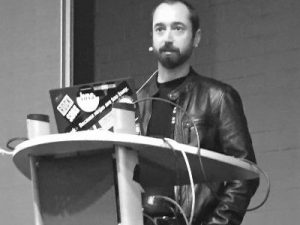
Bruno TRÉGUIER is a systems administrator at Shom by day, a self-proclaimed Net dinosaur by night. A fan of free software, information security, embedded systems and radio (software-defined or not). Vice-president of IMT Atlantique Alumni, head of the GIGN (Inter-Celtic Group of Grammar Nazis).
« Never attribute to malice that which is adequately explained by stupidity. » (Robert J. Hanlon)